
Doc & Pies Cocktail Arcade: No Picture
- Symptom
- The arcade powered on, played sound and responded to the controls, but the screen stayed black.
- Diagnosis
- The game board was fine. The monitor's backlight transformer (T801) had overheated, scorched its circuit board and failed, so the backlight shut down.
- Fix
- Replaced the HP L1950 with a used HP LA1956x LED monitor of the same size, removed from its case and mounted in the original wooden frame.
A home cocktail arcade that powered on and played sound but showed a black screen, traced to a burned-out backlight transformer in its 2008 monitor and fixed with a replacement LED monitor.
The Symptom
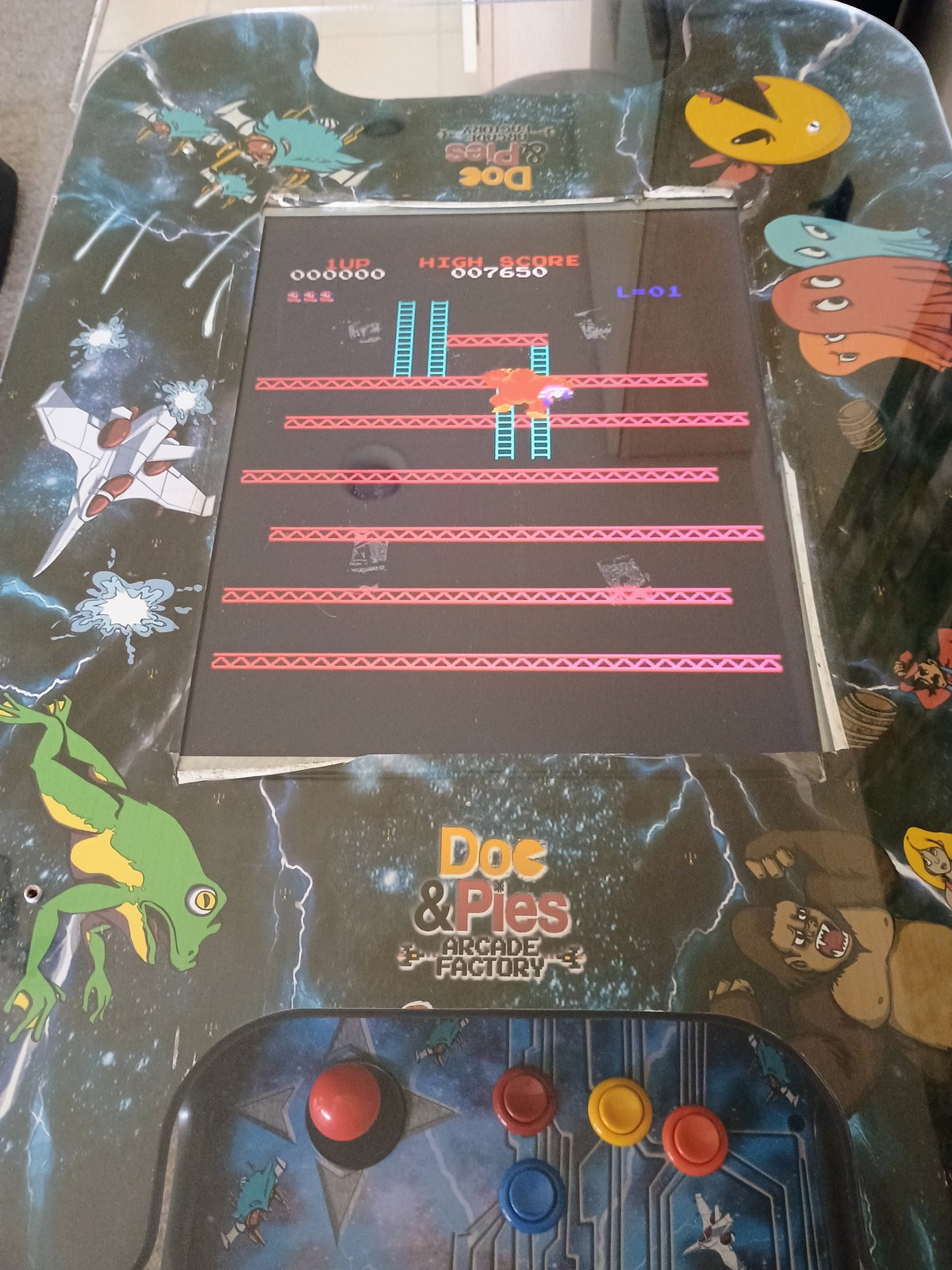
The machine is a Doc & Pies Arcade Factory 412 Classic cocktail table: two player positions, a glass-topped cabinet, and a Game Elf 412-in-1 board driving a 19-inch LCD that faces up through the table top. At the in-person visit, the cabinet powered on, the game board booted, sound played and the controls responded. The screen showed nothing at all. The monitor's power light was on, but its front-panel buttons brought up no on-screen menu.
A black screen with working sound narrows things quickly. The game board is running, so the fault is either in the video signal leaving the board or in the monitor itself.
Ruling Out the Game Board
The quickest way to split “no signal” from “no picture” is to give the monitor a signal you trust. The monitor was connected to a known-good laptop with a known-good cable. The laptop detected it and identified it as an HP L1950 19-inch LCD, a 2008 build. The monitor's electronics were alive and reading out its own identification data.
The screen stayed dark on the laptop too, with one telling exception: every time the laptop changed resolution, a correct picture flashed on the screen for about half a second, then went black again.
That half-second flash is the key finding. It shows the LCD panel, the video circuitry and the signal path all work. What fails is the backlight, the lamps behind the panel that make the picture visible. Each resolution change restarts the backlight, it lights briefly, the protection circuit detects a fault, and it shuts the backlight off again. The game board was never the problem.
Inside the Monitor
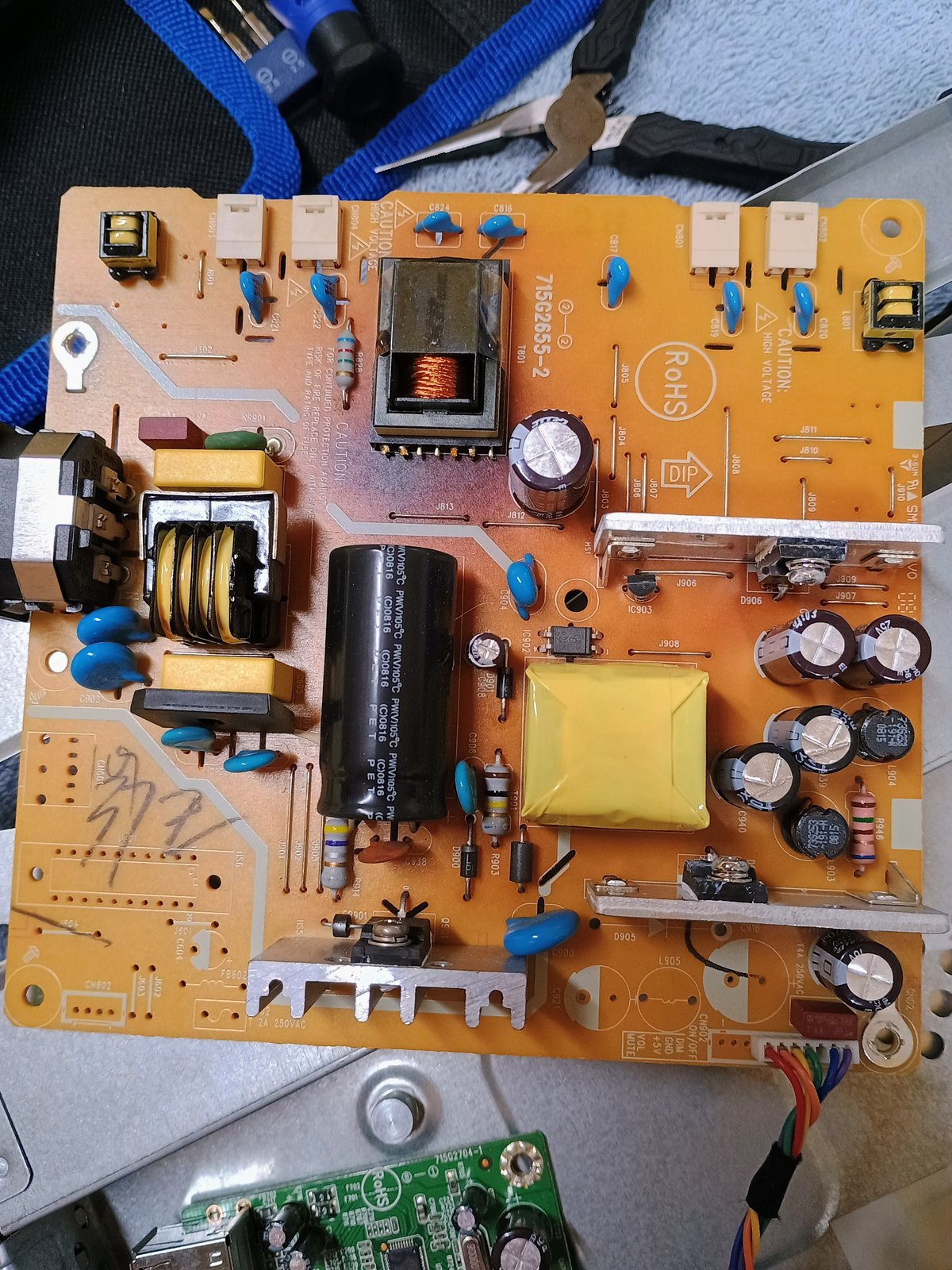
The L1950 uses fluorescent backlight tubes (CCFLs), driven by a high-voltage inverter on its combined power board (TPV board 715G2655-2). With the monitor opened, the cause was visible without a meter. The backlight transformer, T801, had overheated badly enough to scorch the circuit board around it, and its own insulation was discolored.
Why We Didn't Repair the Board
Swapping a transformer is a routine bench job, but it wasn't the right call here:
Heat damage spreads.
Board scorching like this means the parts and copper nearby have been cooked too. Replacing T801 alone may not fix it, and the next fault could be harder to find.
The likely root cause stays in place.
Aging CCFL tubes need more drive voltage as they wear, which pushes the inverter harder and heats the transformer. These tubes were 18 years old. A repaired board would keep driving them.
Cost.
A suitable used replacement monitor costs less than an uncertain repair attempt, and it comes with a backlight that is known to work.
Two Options, the Owner's Choice
The owner received a written estimate with two options and a maximum price for each:
- Option A: a used replacement monitor of the same size, fitted into the existing top. Maximum $260.00 before tax, including the $95 in-person visit.
- Option B: a complete replacement top from Doc & Pies, monitor included, at $200 plus shipping, with half an hour of labor to install.
The owner chose Option A.
Choosing the Replacement
Most 19-inch monitors sold today are widescreen. A widescreen panel would not fill the square cabinet opening, so the replacement had to be a 19-inch 5:4 monitor (1280 × 1024), the same shape as the L1950. That leaves a short list of business monitors from roughly 2010 to 2015. We picked the HP LA1956x because:
- It has the same 19-inch 5:4 screen as the L1950, so the picture fills the same opening.
- It has a VGA input, so the game board's existing cable plugs straight in.
- It uses an LED backlight. LED backlights don't use a high-voltage transformer, so this failure cannot happen again. It draws 14.1 W by its label, much less than the fluorescent original, which matters in a closed cabinet.
- We could buy a tested unit with a 30-day, seller-paid return policy. This one is a November 2013 build, bought for $49.99 with free shipping.
Parts are billed at what we pay for them, including whatever shipping adds, with no markup on either. The price of this monitor and what delivery would add were both given to the owner before it was ordered.
Bench Test First
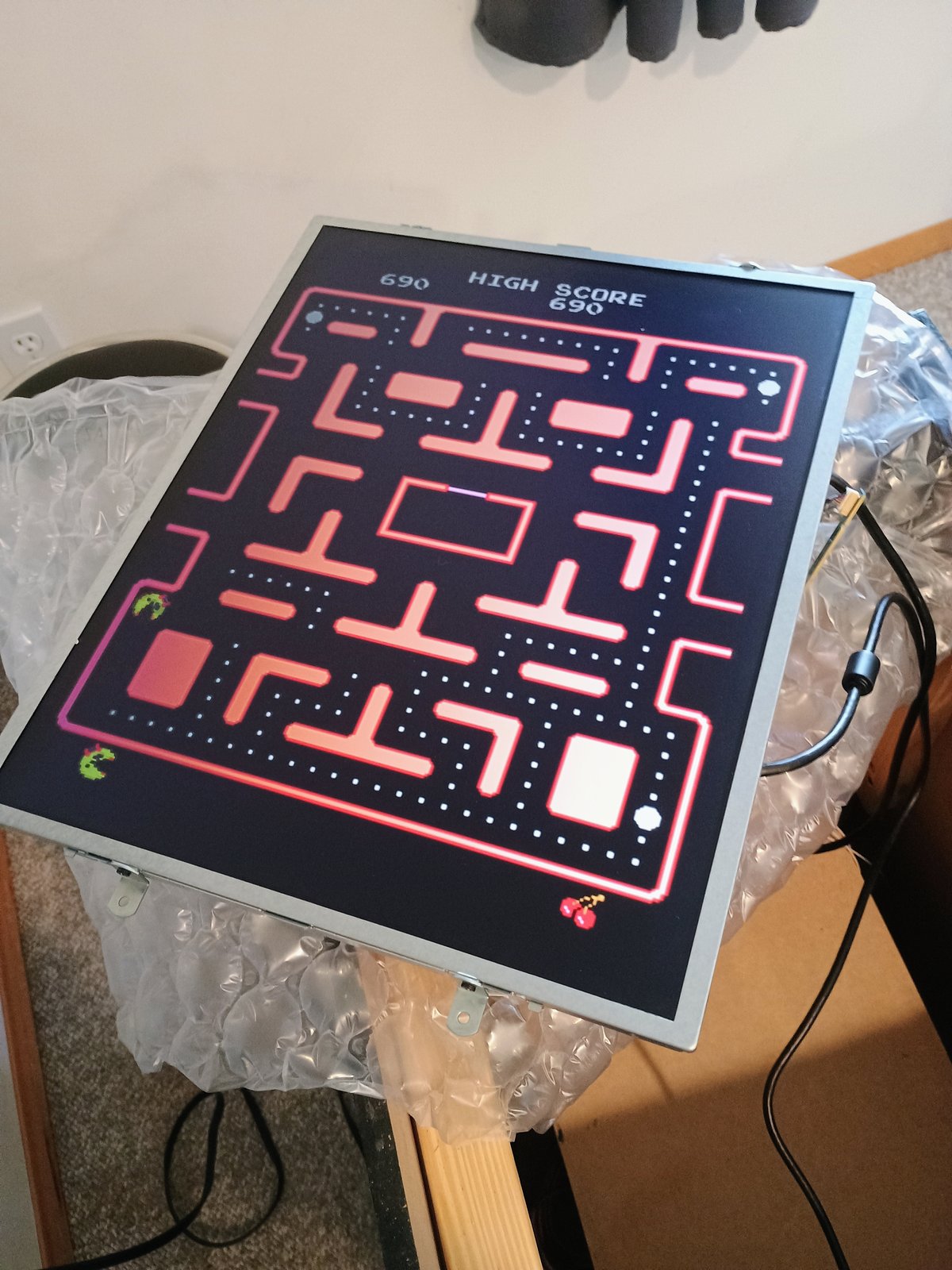
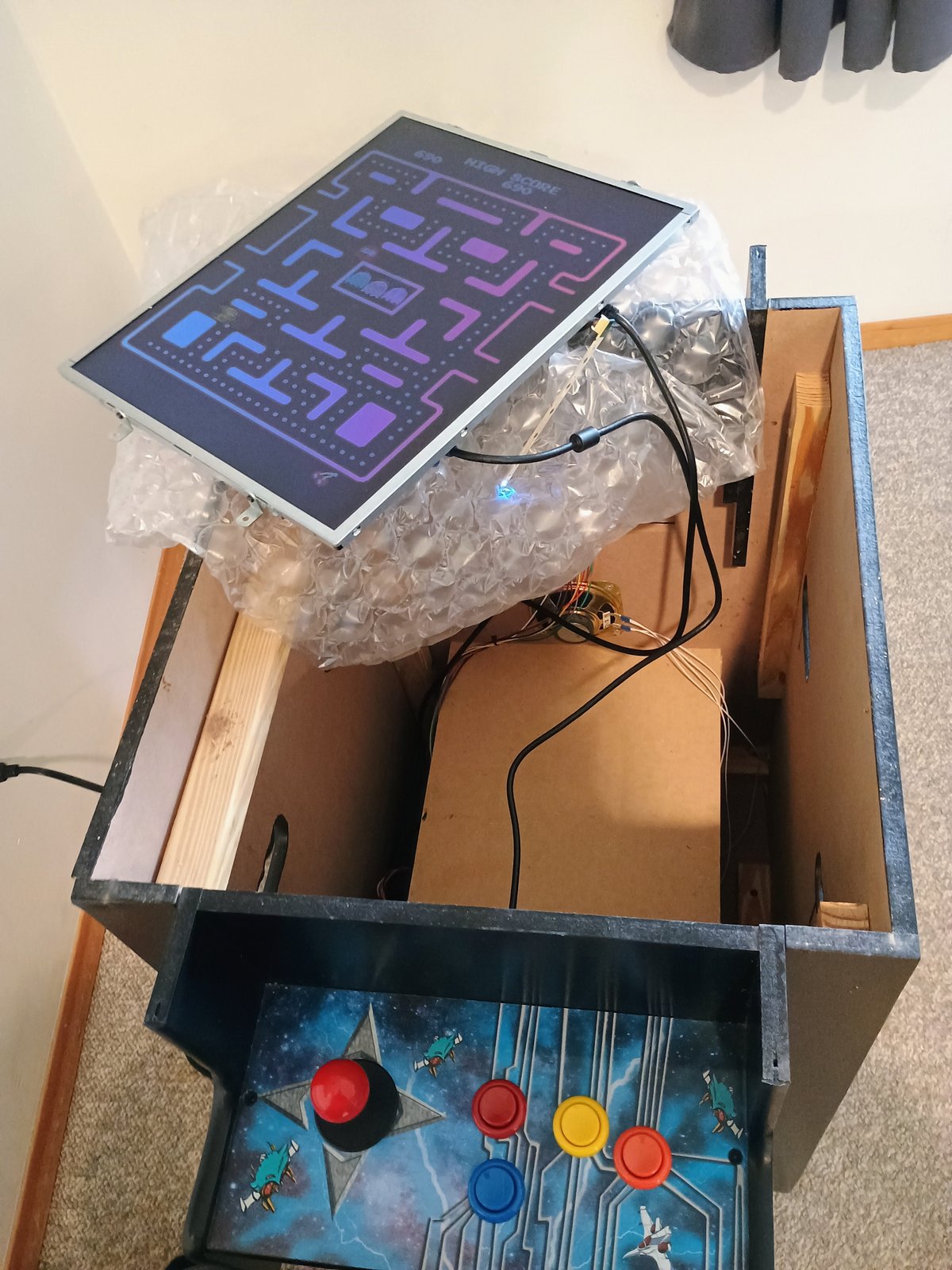
We checked the replacement before mounting it, while it could still be returned. With its plastic case removed, it ran on the cabinet's own game board, and we looked for dead pixels, uneven backlight and correct picture size.
Installation
With its plastic case off, the LA1956x panel sits in a metal frame with mounting tabs, about the size of the original. It went into the arcade top's original wooden frame: the panel's mounting tabs screw to the frame's wooden blocks, and the original pine cross pieces hold it in place from behind. The game board's VGA cable and a standard power cord plug into the back. Fitting and connecting took half an hour.
The Result
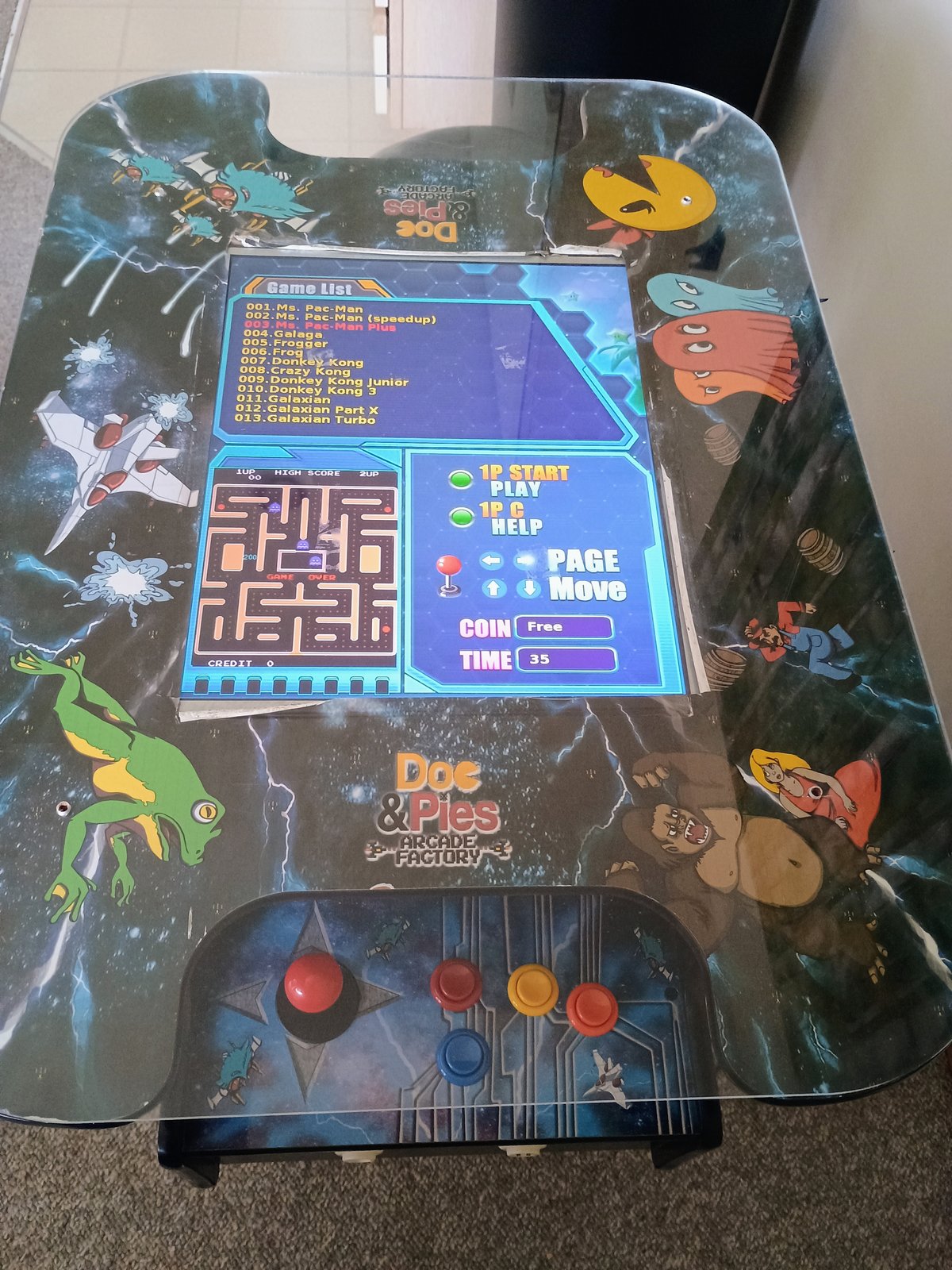
With the top back on the cabinet, the game menu and games display through the glass. The picture fills the opening.
The Old Monitor
At the owner's request, the HP L1950 was recycled. Its fluorescent backlight tubes contain a small amount of mercury, so it went to electronics recycling, not the trash.
Cost
| Item | Amount |
|---|---|
| In-person visit (includes the first 30 minutes) | $95.00 |
| Replacement monitor, HP LA1956x, used, at cost | $49.99 |
| Shipping | $0.00 |
| Installation labor, one additional half hour | $37.50 |
| Total before tax | $182.49 |
The approved maximum was $260.00. The final total came in $77.51 under it, mainly because the monitor shipped free and the install took the low end of the labor estimate.
That is what this job came to, not a quote for the next one. What a repair costs depends on the part and on the hours it takes; see pricing for the rates behind these lines.
What This Job Shows About How We Work
Find out which half has failed before buying anything.
A known-good laptop and cable showed in minutes that the game board was fine and the monitor was at fault. That ruled out the most expensive wrong guess, a new game board.
Small symptoms carry big clues.
A half-second flash of picture is easy to overlook. Here it pointed straight at the backlight, before the monitor was even opened.
A scorched board is a verdict, not a to-do list.
Heat damage this visible means more than one part has suffered. Repairing it would have cost more and promised less than replacing the monitor.
Replace in a way that removes the failure mode.
An LED-backlit monitor of the same size has no high-voltage transformer, so this exact failure can't recur. It also runs cooler inside the cabinet.
Test before you commit.
The replacement was proven on the arcade's own game board before it was mounted, while it could still be returned for free.
Technical Details
| Cabinet | Doc & Pies Arcade Factory 412 Classic cocktail table, full size, 2-player |
| Game board | Game Elf 412-in-1 (JAMMA), VGA output |
| Original monitor | HP L1950 19" LCD, 1280 × 1024 (5:4), CCFL backlight, built 2008 |
| Failed part | Backlight transformer T801 on power/inverter board 715G2655-2, overheated, with surrounding board scorched |
| Key symptom | Picture flashes for about 0.5 s on a resolution change, then goes black (backlight protection shutdown) |
| Replacement monitor | HP LA1956x (A9S75A), 19" 1280 × 1024 (5:4), LED backlight, VGA / DVI-D / DisplayPort, built November 2013, used |
| Mounting | Plastic case removed. Panel's metal mounting tabs screwed to the original wooden frame in the arcade top |
| Labor | Diagnosis covered by the in-person visit. Installation one additional half hour |
| Disposition of old part | Recycled as electronic waste (mercury-containing CCFLs) |
| Diagnosis / completion | October 30, 2026 / November 20, 2026 |
| Guarantee | 30 days on the repair we did |
Powers On, but No Picture?
Arcade cabinets, pinball machines, consoles, TVs, monitors, laptops: the process on this page is the process on all of them. We find which part has actually failed, say what repairing it and replacing it would each cost, and let you pick. See pinball and arcade repair for what we cover, or what diagnosis and repair cost before you book. Route operators with machines on location should start here instead.
Not sure it's worth fixing? Tell us the make, model, and what it's doing, or call (509) 708-2953 — no charge to ask, and nothing to book. Send us the details →
That conversation can usually tell you whether a repair is worth pursuing and which diagnostic fits. A firm repair price takes having the device in hand.
Nothing is charged when you book a drop-off. The $50 diagnostic covers the first 30 minutes, is the same wherever you're coming from, and is billed on your final invoice once the work is finished.